
Have you ever looked at an advanced blueprint and thought “ahh… gonna be a long day”?
PBGenie is a 1st-of-its-kind calculator that greatly reduces scrap, makes operators far more efficient, and is a superb aid on the shop floor.
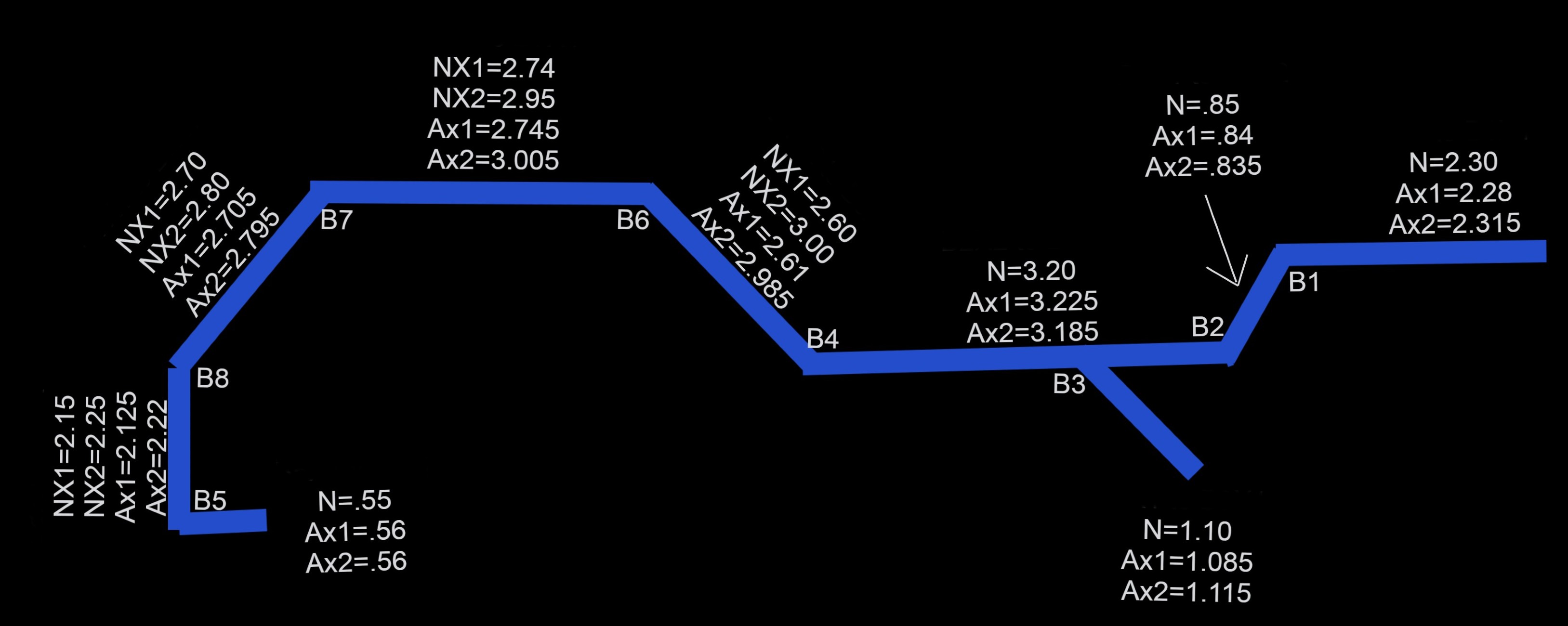
Correcting bends by hand is slow — and one wrong number scraps the part.
On a multi-bend part, fixing one flange throws off the next. You chase it down the chain by hand, burn material on test bends, and a single miscalculation means starting over on a fresh blank.
Wasted material
Every bad correction is a scrapped blank. On thick or expensive stock, that adds up fast.
Lost time
Re-running a part two or three times to chase tolerance is time the machine isn't making good parts.
Newer employees?
Press brake training time for complex parts is brutal for shops — this condensed tool levels up the basic operator.
Measure the part. Enter the numbers. Get every correction.
Build the part
Lay the part edge to edge as one run — declare your bends, mark any solos and reverse bends.
Enter measured
Type the nominal and what the part actually measured, left and right, off the machine.
Read the corrections
PBGenie reads the other side automatically and hands you X1 and X2 for every bend, in order.
Built for the bends that actually give you trouble.
Simple channels are easy. PBGenie was proven on the hard stuff — the parts where the correction on one bend depends on three others.
The calculators you reach for on every job.
Beyond corrections, PBGenie covers the sheet-metal math you'd otherwise look up or work out by hand.
Bend allowance & deduction
From angle, radius, thickness and K-factor.
Flat blank length
Develop the flat pattern so you cut the blank right the first time.
K-factor
Suggested K by material and method, override anytime.
Tonnage & tooling
Required force, V-die opening, inside radius and minimum flange by thickness.
Unit converters
mm ↔ inch and kN ↔ US tons ↔ metric tonnes.
One trusted toolbox
Corrections and shop math together, on phone or shop PC.
Over a decade as a max-level operator — so we aren't guessing at the trade.
Get your corrections right every time.
Bend your first part, put the measurements in, and get a part that slips through the check fixture like butter.
Save the setups that work
Store any part with your own operator notes, synced across your devices and searchable by part number. The setup that ran clean last month is one search away on the next run.
Proprietary software. PBGenie and its correction engine are the original work of their creator and are protected by copyright law. The software, its methods, and its outputs may not be copied, reproduced, reverse-engineered, redistributed, or used to build a competing product without express written permission. All rights reserved.